
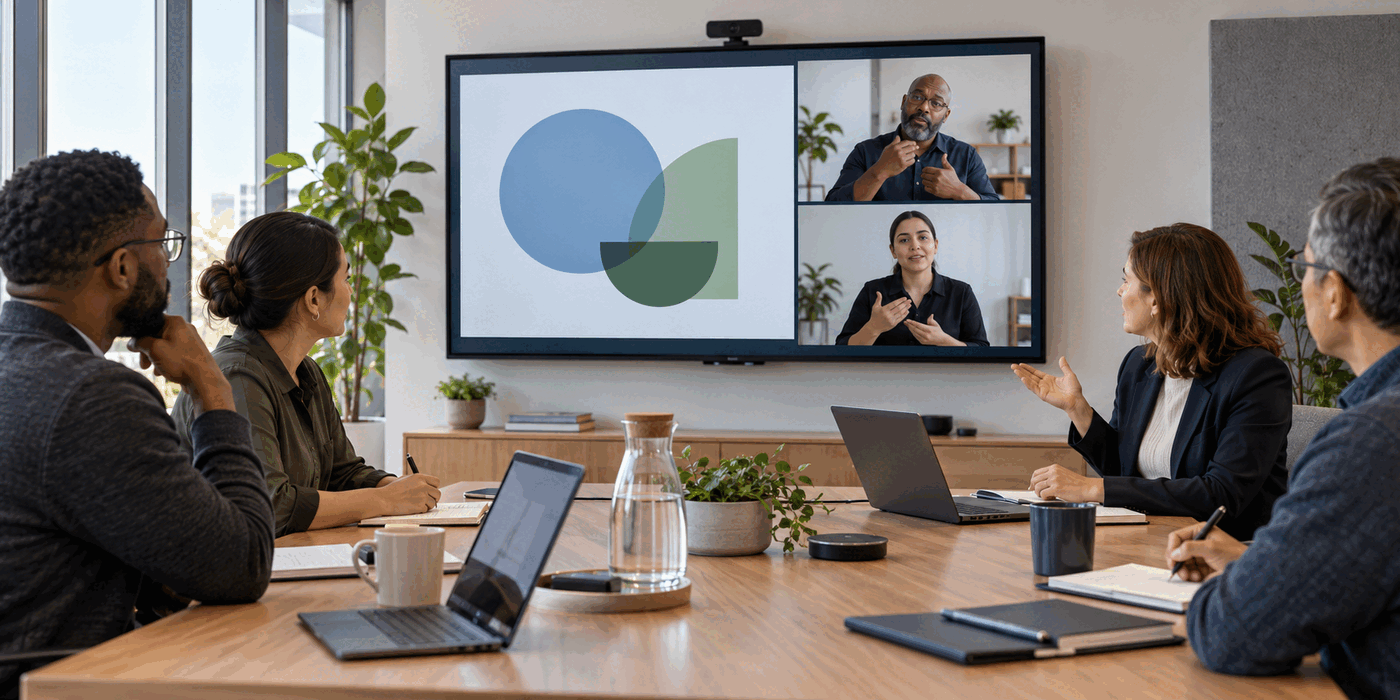
The interpreter is clearly visible when the call begins. Then someone shares a dense spreadsheet, the layout rearranges itself, and the interpreter shrinks into a strip of thumbnails. A participant pins the video again. Five minutes later, a breakout room resets the view.
Technically, the meeting has interpretation. Practically, access keeps disappearing.
This is an easy failure to misunderstand because it looks like a software problem. Sometimes it is. But accessible meetings are not created by a single feature. They depend on a chain of choices: how people prepare, how the platform is configured, how turns are managed, how visual material is described, and how decisions survive after the call.
A new product update makes that distinction timely. On October 21, Google announced that paired video tiles in Meet were expanding to mobile devices. The feature keeps two participants, such as a signer and a sign-language interpreter, beside each other and highlights them together when either speaks. Google Workspace Updates
That is a meaningful improvement. It is also the beginning of the organizer's job, not the end.
Start with the participant, not the settings menu
There is no universal "accessible meeting" configuration. One person may prefer sign-language interpretation. Another may rely on captions, a transcript, advance materials, or a combination. People who use the same accommodation may still want different layouts, pacing, or ways to contribute.
Ask about access needs before the meeting, preferably through a private route. Keep the question practical: What will help you participate fully? Which materials would be useful in advance? Is there a preferred way to ask questions or receive follow-up?
Do not make a participant explain or defend a disability to the room. Do not assume that automatic captions replace an interpreter, or that an interpreter makes captions unnecessary. The person using the accommodation is the best source for the setup that works for them.
For recurring meetings, save agreed preferences so people do not have to renegotiate access every week. Still offer a simple way to change them. Needs can vary with the topic, device, location, fatigue, and type of work.
Treat visibility as a shared resource
Google's paired tiles help preserve a visual relationship between a participant and an interpreter. Microsoft Teams takes a related approach with a sign-language mode that prioritizes identified signers and interpreters, including while content is being shared. Microsoft Support
The important design idea is larger than either product: visibility should not depend on who is making sound.
Active-speaker layouts work well for audio-led conversation. They can fail when the person who must remain visible is not the person whose microphone is driving the interface. The same problem appears when slides, whiteboards, or screen shares claim most of the display.
Before the meeting, test the actual combination you will use: presentation plus participant plus interpreter plus captions. Check it on the smallest device someone expects to use, not only on the host's large monitor. Confirm what happens when a new person speaks, a screen is shared, or someone reconnects.
The W3C's guidance for remote meetings recommends platforms that let participants anchor and resize sign-language interpretation independently from shared content or other speakers. It also emphasizes giving participants access to materials outside the screen share. W3C Web Accessibility Initiative
That second point matters. If the slide deck is available in advance, a participant can choose how to arrange the document, interpreter, captions, and meeting window. The organizer is no longer forcing every source of information through one rectangle.
Build a communication path that survives the layout
A visible interpreter does not solve turn-taking. Rapid interruptions, overlapping speech, unexplained references, and abrupt topic changes create interpretation problems even when the video is perfect.
Use names before directing a question. Leave a brief pause between speakers. Ask people to avoid talking over one another. When someone points to a visual, name the element instead of saying "this one here." If the discussion jumps from the budget to the launch plan, say so.
These habits are useful for everyone, but they are especially important when part of the conversation is moving between languages or channels. Interpretation has a small amount of natural lag. A pause gives the interpreter time to complete the thought and the participant time to enter the conversation before somebody else occupies the next turn.
Create a second route for participation too. Chat, a shared document, or a visible question queue can help when the spoken floor moves too quickly. That route must be monitored. An unused chat pane is not access.
Assign one person to watch the mechanics while the facilitator manages the substance. This access host can notice that captions stopped, the interpreter vanished from the shared layout, a participant is trying to enter, or a document link lacks permission. In a small meeting, the facilitator can hold both roles. In a consequential or large session, separating them is usually kinder and more reliable.
Keep attribution attached to the right person
Interpretation can confuse both humans and automated notes about who contributed an idea. The interpreter voices or signs another person's words, but the underlying question, objection, or commitment belongs to the participant.
Meeting notes should preserve that distinction. Attribute the substance to the person who originated it, not automatically to the channel through which it arrived. If the system labels a statement incorrectly, correct the record before assigning work from it.
This is not a cosmetic detail. Imagine a product review in which an interpreter voices a participant's concern about a safety test. A recap that credits the interpreter may make the concern harder to follow up, obscure the participant's expertise, and send clarification to the wrong person.
Use a quick verbal confirmation around consequential moments:
I have Maya's concern as: the release should not proceed until the keyboard-only flow passes testing. Maya, is that accurate?
Then record the concern, the decision, and any action under the correct names. The interpreter does not need to disappear from the record, but their role should not replace the participant's authorship.
Make the shared artifact accessible while it is still editable
Accessibility often weakens at the handoff. The live meeting may include an interpreter and captions, while the follow-up arrives as an inaccessible image, a recording without usable captions, or a list of actions with no context.
Before closing, review the decision and next steps in more than one form. Say them aloud, place them in accessible text, and allow time for corrections. Share the source document rather than only a screenshot. Use descriptive link names, logical headings, and alt text for images that carry meaning.
Do not treat the transcript as a perfect substitute for notes. Automated captions and speaker labels can be wrong, while a raw transcript makes readers excavate the decision from an hour of conversation. Preserve a concise human-checked record that identifies what was decided, who owns each action, what remains unresolved, and where the relevant materials live.
For recordings, verify that the useful view was actually captured. Google's help page notes that paired tiles are not available in recordings or breakout rooms. Google Meet Help A layout that worked live may therefore produce an inadequate archive. When the recording cannot preserve the necessary access, provide an alternative record agreed with the participants.
Run a two-minute access check
At the start of a high-stakes or unfamiliar meeting, spend two minutes checking the chain:
- Can the people using interpretation or captions see and control what they need?
- Will the relevant view survive screen sharing and speaker changes?
- Can participants access the materials directly?
- Is there a working route to signal a problem without interrupting?
- Who will watch access while the discussion is moving?
This check is not a performance for the room. Ask only what is useful, and normalize small corrections. "The interpreter dropped from my view" should be treated like "the deck link is locked": a fixable meeting issue, not an awkward personal request.
A copilot should protect the meeting's meaning
The best meeting technology reduces the effort required to participate without taking control away from the participant. That means supporting the live conversation, preserving authorship, and carrying forward a record people can actually use.
Caspi supports real-time recap, suggested questions, contextual chat, proactive flags from connected tools, post-call action items, and persistent meeting memory. In an accessible meeting workflow, those capabilities can help keep the current question visible, surface a missed clarification, confirm the right owner, and preserve decisions after the call. They do not replace interpreters, captions, accessible materials, or the participant's stated preferences.
Paired tiles solve a real piece of the experience. The larger goal is a meeting in which access does not vanish when the layout changes, the conversation accelerates, or everyone clicks Leave.